


Why We're Open-Sourcing the MPC Behind Bron
Why we open-sourced the MPC library powering Bron — and what that means for the future of self-custody and auditable cryptographic infrastructure.
Nothing matched that
Did you mean ?
Search is unavailable
The index could not be loaded.
The Bron application is provided as a software tool for users to interact directly with blockchain networks and decentralized protocols.
 The Impossible to Lose Wallet Bron: non-custodial, no seeds, no ID
  Secure and Private by Design Biometric signing, hidden accounts, 24/7 support
  Crypto Meets Fiat Move between fiat and crypto, compliantly
  Cross-Chain Swaps Swap across chains with top rates
  Digital Inheritance Securely pass assets to beneficiaries
  Multi-Role Access and Reporting One wallet, shared control, instant reports
  Earn & Stake T-Bill yield and one-click staking, self-custodial
  NFTs Done Right Showcase NFTs and earn Bron perks
  The Wallet Agents Deserve A self-custodial wallet built for AI agents
  Bron for Business Self-custodial treasury for companies
 Bron is built with dozens of carefully designed protections that may seem small on their own, but together deliver something critical in crypto: true peace of mind.
Every transaction in Bron requires biometric authorization. Even if your device is compromised or unlocked, transactions cannot be signed without your biometric confirmation. The signing shard is encrypted with your biometrics, and you can enable 2-Factor Authentication for extra protection.
Get startedPrivacy off-chain is just as important. Bron offers hidden accounts secured by a PIN. Once hidden, the account leaves no trace in the interface and is revealed only by entering the correct PIN in the search bar. Its transactions appear as external until the account is revealed.
Hidden accounts enable plausible deniability against physical threats, keeping core assets protected. Forgotten PINs can be reset with a 24-hour delay; even if forced, only a countdown starts. The system does not indicate whether hidden accounts exist.
Get started
By integrating the Zama privacy standard, Bron provides users with tools to manage the on-chain visibility of their assets on blockchain explorers. With Shield and Unshield powered by Fully Homomorphic Encryption, balances and transfers are encrypted on-chain, reducing the risk of targeted theft, extortion, and unwanted attention.
Attackers sometimes send tiny "dust" transactions to trick you into copying the wrong address. Bron hides dust by default to keep your history clean and reduce mistakes — you should still always verify addresses before sending funds.
Get startedAll DeFi permissions you've granted are tracked automatically inside your wallet. You can clearly see which protocols have access to your funds, what kind of access they have, and revoke any permission instantly — no external tools, no guesswork.
Get startedIf that weren't enough, you have the option of adding another layer of security with Two Factor Authentication. While not strictly necessary, this feature can be enabled easily in your Bron wallet settings, if desired.
Bron provides real human support via secure in-app chat. Our team is available 24/7 and responds within minutes — for help with Bron.
Get started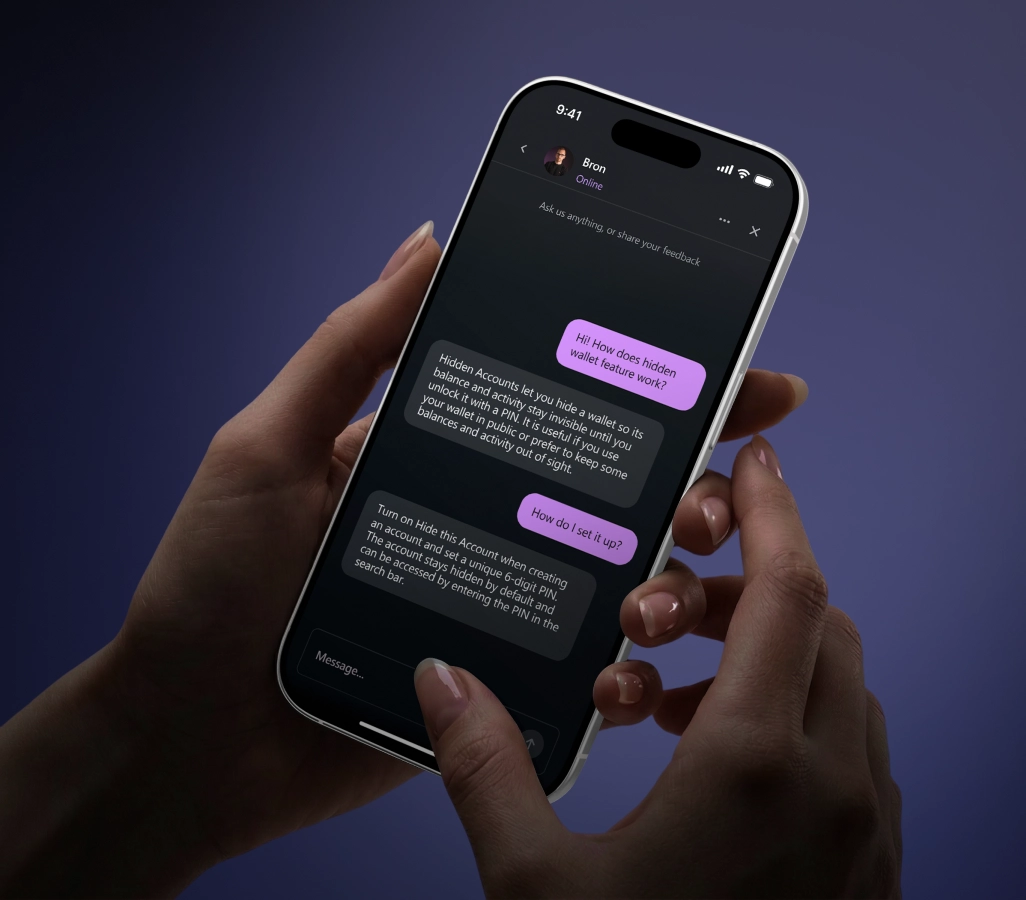
Why we open-sourced the MPC library powering Bron — and what that means for the future of self-custody and auditable cryptographic infrastructure.

Public blockchains expose every move you make. How wallet distribution, MPC, and confidential tokens reclaim privacy for serious on-chain holders.

Crypto's newest scam vector: malicious power-of-attorney signatures that drain wallets long after the user clicks away. How MPC and transaction limits stop it.