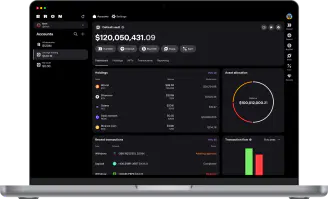













The Wallet Agents Deserve

You Hold the Veto
AI is fast, but occasionally wrong. The Bron policy engine gives you address whitelists, spend limits, per-transaction approval and more. Stay in control of your agent from your phone or laptop. No additional hardware to carry, no seed phrase to lose.
No Tech Knowledge Needed
Native MCP server for Claude, ChatGPT and others. Fully-featured CLI for scripted flows and a clean API for everything else. Whatever your agent runs on, Bron speaks the language. Simply run a ready-made prompt and everything works.
Get started
Prompts That Save Hours
Scan every chain for incoming payments, claim and re-stake rewards, trade on DEXs, run end-of-month payroll from a team sheet, or reconcile the books for your accountant. Create hundreds of flows while staying in control. Explore Bron's agent tools — MCP, CLI and SDKs — at developer.bron.org.
From Financial Intelligence to Financial Action
Full policy engine, MCP, CLI, API, access to swaps, DEX connectivity and even an inheritance plan for your agent. All included from Core, no strings attached.
FAQ
- Bron gives you an exceptionally powerful set of tools for working with your agent. You decide exactly what your agent can do: our agent tooling lets you set the level of access and the capabilities your AI agent has within your wallet. These tools allow your agent to perform any action you could perform yourself, yet every transaction still requires your explicit approval before it goes through. You don’t need a separate device for this—all approvals can be handled through our desktop or mobile applications. If you’d prefer your agent to run fully autonomously, you can set up an MPC hot signer. Keep in mind that, in this configuration, your agent will be able to execute transactions without your explicit approval.
- With Bron’s MPC architecture, you can connect your AI agent to your wallet and assign it the role of transaction operator. The agent can read all wallet data and submit transactions for signing, but it cannot execute transactions on its own. You approve or cancel every transaction from your laptop or phone, so you always retain full control over the agent and explicitly authorize each action it takes. No additional hardware is required—every approval is handled effortlessly through the app on your phone or laptop.
- Bron is self-custodial software, so it never stores any of your funds or on-chain assets. Bron gives your agent the tools to interact with the blockchain, and gives you control over the agent at whatever level of granularity you require. No assets ever pass through Bron.
- Bron ships a native MCP server compatible with Claude, ChatGPT, and other MCP-enabled assistants. For scripted workflows, a full-featured CLI is available. For custom integrations, use the REST API at api.bron.org.
- Open Bron Desktop, go to Settings → AI agents and click Connect agent. Pick your app — Claude Code, Claude Desktop, ChatGPT (Codex), Cursor, or anything else that speaks MCP over streamable HTTP — and Bron shows the steps for it. Then choose what the agent may reach: read only, or manage, which adds preparing transactions and the address book, across all accounts or only the ones you tick. Confirm with biometrics and it is live. Neither level lets the agent sign — you sign every transaction yourself, and your approval rules still apply — and you can pause or revoke any agent from the same page. No API key, and for most apps no terminal: the full guide is at support.bron.org/en/articles/17104034-connect-an-ai-agent-to-bron. Prefer a scripted setup? The bron CLI, REST API and SDKs are at developer.bron.org/sdk/cli/agents.